 RETROBOWL100
Retro Bowl
Press Play above to start Retro Bowl, the pixel-art American football game by New Star Games, in your browser. This is an unofficial web version: it is free, needs no account and installs nothing.
We wrote this guide for anyone who wants to play Retro Bowl on a computer without installing it, including people who are new to American football. We checked everything below on the version on this page. The app editions may have modes and settings we have not tested, so we left them out.
| Developer | New Star Games |
|---|---|
| First released | 2020 |
| Genre | American football with team management |
| Official editions | App Store, Apple Arcade, Google Play, Nintendo Switch |
| On this page | Unofficial HTML5 version 1.5.8.9, about 13 MB, free with no account |
| What you control | Your offense on game day; the other team's drives are simulated |
| Saving | Automatic, in this browser |
What is Retro Bowl?
Retro Bowl is an American football game by New Star Games, released in 2020 according to the studio's Retro Bowl page. You are the head coach of a pro team. On game day you play the offense; between games you look after the roster, the coaching staff and the club's facilities. New Star Games pitches it at "the armchair quarterback" and lists press duties and "the handling of fragile egos" among the off-field jobs.
Teams are named after American cities such as Dallas and Arizona, and the regular season runs to week 18 before the playoffs. When the other team has the ball, the game plays their drive for you and reports it as text.
New Star Games publishes the official game on the App Store, Apple Arcade, Google Play and Nintendo Switch. The version on this page is an unofficial HTML5 build; its options screen shows version 1.5.8.9.
How to play Retro Bowl
To play Retro Bowl here, press Play, start a new career and either follow the short tutorial or skip it.
- Press Play above. Your browser loads the game files, about 13 MB, only then; there is nothing to install.
- On the welcome screen, start a new career and pick a name, a face and a favorite team. Tick "Start with favorite team?" if you want to coach that team. We left it unticked and the game gave us a different one.
- You take over with one week of the regular season left.
- A tutorial walks you through the Front Office, the roster and three practice drills: passing, running and kicking. The Skip Tutorial button takes you straight to the game.
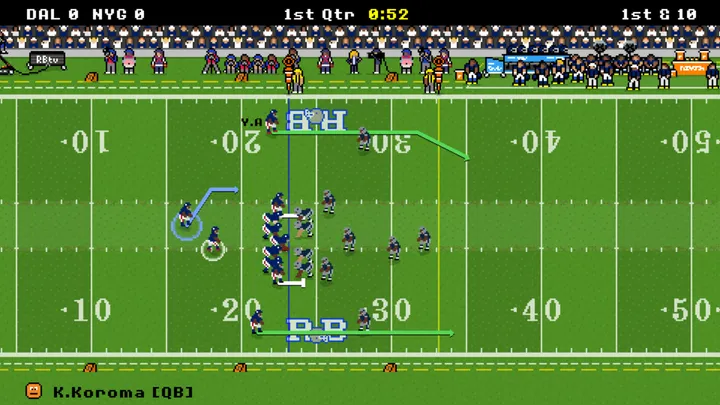
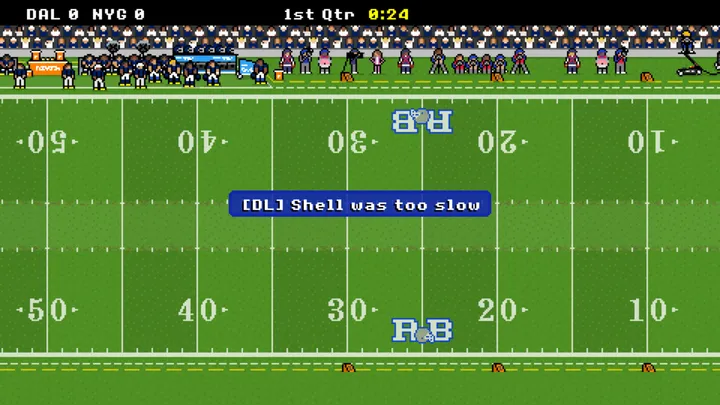
Kickoffs and punts play out on their own. The game clock stops before the snap, so you can study the routes, but it keeps running while you aim. In our match against Dallas it ticked from 0:51 to 0:50 during a single throw.
Retro Bowl controls on PC (mouse and keyboard)
| Action | Control |
|---|---|
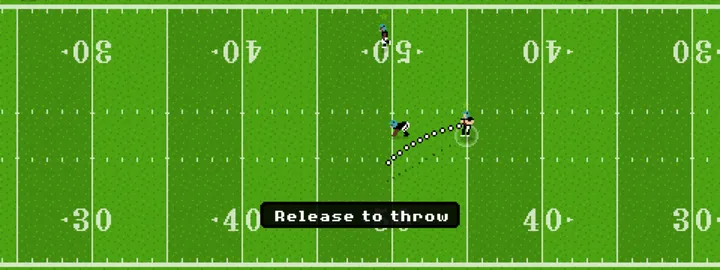
| Throw a pass | Click and hold, drag away from the direction your receiver is running, then release |
| Bullet pass | While you aim, click the right mouse button. A yellow star appears over the quarterback and the aiming line flattens; the game's text calls this a bullet throw, a low pass |
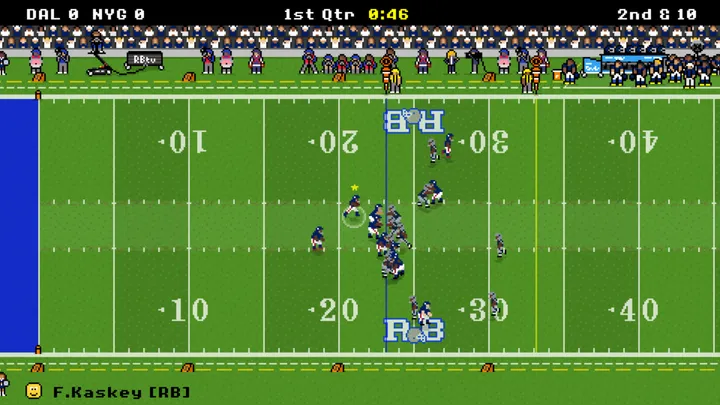
| Hand off | Click the blue circle around the running back |
| Side-step while running | W or S, as the running practice tells you |
| Run with the quarterback | Drag as if to throw the ball backwards |
| Slow down or dive | A or D while running. In our practice run, A made the quarterback dive and D slowed him down |
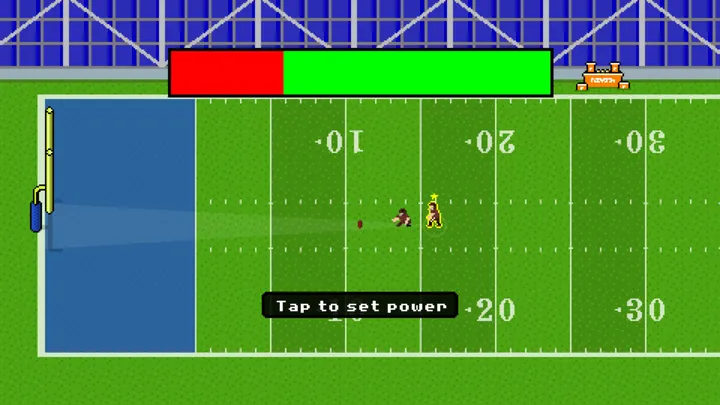
| Kick a field goal | Click once to stop the power bar, then again to set the direction |
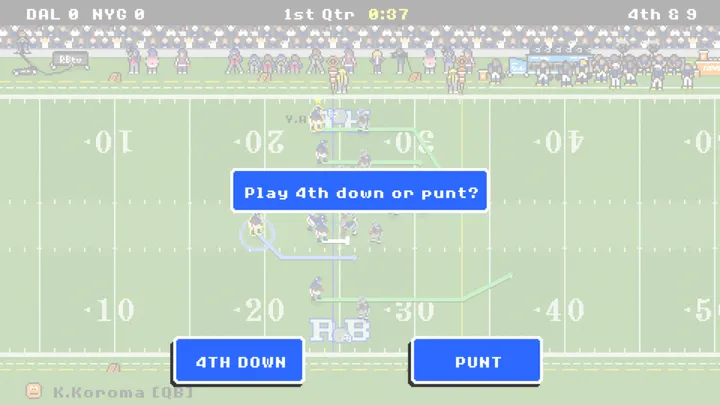
| Fourth down | When the game asks, pick 4th Down or Punt, or 4th Down or Field Goal once you are close enough to kick |
Football terms you will see in Retro Bowl
Retro Bowl follows the basic rules of American football in a shorter match. If the sport is new to you, these are the terms the game puts on screen. The meanings follow the NFL's own football terms glossary.
| Term | What it means | In Retro Bowl |
|---|---|---|
| Snap | The action that starts a play: the center passes the ball back to the quarterback. | The clock waits for you before the snap. |
| Down and distance | The offense gets four downs to gain 10 yards. Gaining them earns a first down and four new tries. | The top bar shows it, for example 2nd & 10. |
| Line of scrimmage | The line through the ball where both teams line up. Neither side crosses it before the snap. | Your running back takes the handoff behind it. |
| Handoff | The quarterback hands the ball to a teammate, usually the running back. | Click the blue circle around the running back. |
| Punt | A kick to the other team, almost always on fourth down, when a score or a first down looks unlikely. | The game asks "Play 4th down or punt?" and then kicks for you. |
| Field goal | A kick over the crossbar and between the uprights, worth 3 points. | Dallas went up 3-0 on us with a 17-yard field goal. |
| Touchdown | Carrying the ball into, or catching it in, the other team's end zone. Worth 6 points. | We did not score one in our tests, so we have not seen what the game asks after a touchdown. |
| Fumble | The ball carrier drops the ball, and either team can recover it. | The game's tips say tired players fumble more often. |
Match length is the biggest change from the real sport. An NFL game is 60 minutes, four quarters of 15 minutes each, under the 2026 NFL rulebook. A Retro Bowl quarter is 1, 2 or 3 minutes of game clock, so a match on the default 2-minute setting has 8 minutes of game clock. With 1-minute quarters, the clock in our match ran at about one game second per real second while the ball was live.
Our Retro Bowl test matches
We played this version on November 13 and 14, 2026, in Chrome on a desktop computer. We used simple plays, short passes and handoffs, and punted on every fourth down, because we were checking controls, menus and saves.
| Date | Match (our team first) | Result | What we checked |
|---|---|---|---|
| Nov 13 | Indianapolis vs Tennessee | Lost 0-17 | A full four-quarter match |
| Nov 13 | New England vs Miami | Lost 0-7 | Record went from 4-12 to 4-13 and stayed after a reload |
| Nov 13 | Sim Game | Detroit 34, Chicago 20 | The game plays the whole match for you |
| Nov 14 | New York vs Dallas | Lost 0-6 | 1-minute quarters, Dynamic difficulty, press interview, save after a reload |
In the Dallas match we were badly outrated. We took over a 2-14 team rated 1 star; Dallas came in at 14-2 with a 5-star defense. Our first pass fell incomplete, our runs gained a yard or lost three, and Dallas scored all six points from field goals that we only saw as text. Afterwards a press interview asked what we would put the loss down to and offered two answers: criticize the team or criticize the coaching. Back on the home screen the record read 2-15 and fan support was 27%.
Next time we would pick a receiver before starting the drag, since the clock runs while you aim, and we would visit the Front Office before the first match, since the coordinators set the team's base ratings.
Last checked .
Running your team
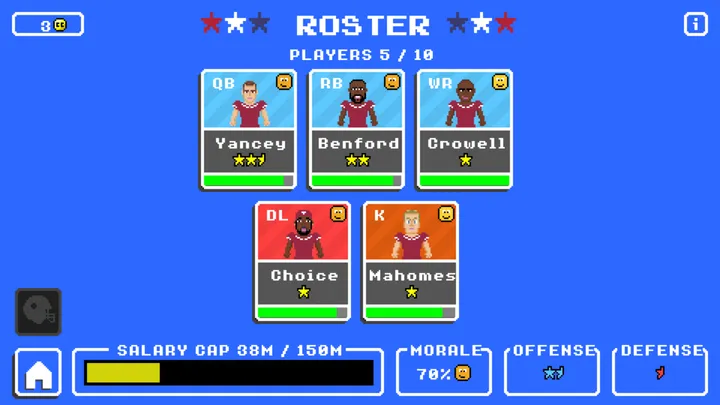
The roster shows only your key players. It holds 10 by default, and the game's info text says you can raise that to 12 by choosing a $200M salary cap in the options. When we took over our first test team, 5 of the 10 slots were filled, $38M of the $150M salary cap was in use and team morale was 70%.
Coordinators and staff
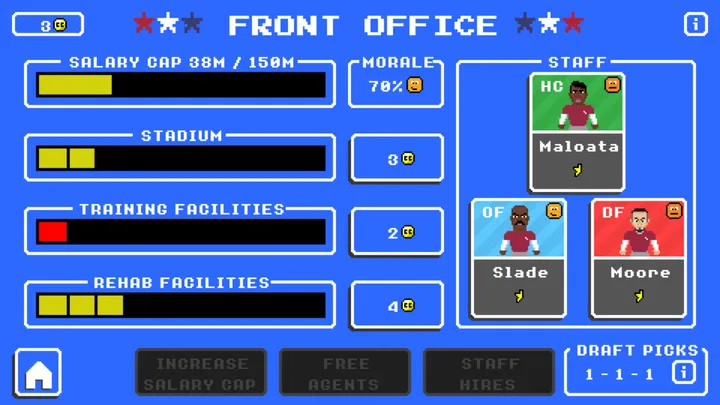
Your staff is a head coach plus an offensive and a defensive coordinator, shown as HC, OF and DF in the Front Office. According to the game's info text, the coordinators set the base rating of your offense and defense before your key players are counted, and the rest of the squad, which stays hidden, plays to the coordinators' level. Since you never play defense yourself, a better defensive coordinator and stronger defensive key players are how you improve it.
Coach credits
Coach credits pay for Front Office spending: stadium, training and rehab upgrades, and hiring or extending staff. The game's info text adds that free agents cost credits as well as cap space. One of the in-game tips explains what the credits stand for: "Coaching Credit isn't cash, it's kudos - it represents how much respect you have from the owner, team and fans." We did not track how many credits each result earns.
Draft, free agents and trades
Better players come from the draft, free agents and trades. You start with one pick in each of the three draft rounds, and trades close after week 8.
Game options in this version
| Option | Choices |
|---|---|
| Quarters | 1, 2 or 3 minutes of game clock (2 by default) |
| Difficulty | Dynamic (default), Easy, Medium, Hard, Extreme |
| Drive direction | Both by default; in our match the offense switched sides after the first quarter |
| Cam zoom | Off by default |
| Roster | 10 Man by default |
| Weather | On by default |
| Kickoff returns | On by default |
Dynamic gets harder after a win and easier after a loss. Extreme gives every opponent a 5-star rating. The options screen also has an Exhibition Game button for a one-off game.
Which settings to pick
- If you are new to the game, keep Dynamic difficulty so the game adjusts to your results.
- If you win too easily, switch to Hard or Extreme.
- If you only have a few minutes, set Quarters to 1 minute. Our Dallas match then had 4 minutes of game clock.
- If you want to skip a match, press Sim Game on the pre-match screen and the game plays it for you.
Retro Bowl tips
These come from the tips written into the game:
- Tired players fumble more often.
- Diving to the ground or running out of bounds protects against fumbles.
- Running the ball out of bounds stops the clock.
- Throw the ball out of bounds rather than take a sack.
- If your quarterback keeps getting rushed, you need stronger offensive linemen.
One more from our own matches: decide on your target while the clock is stopped before the snap, then drag and release quickly.
Saving your career
This version saves your career in your browser's storage for this site. In our tests the career, including the result of the last match, was still there after we reloaded the page. Because the save lives in this browser, another browser or device won't have it, and clearing this site's data deletes it.
Retro Bowl FAQ
Is Retro Bowl free to play here?
Yes. Press Play and the game starts in your browser. It did not ask us for a payment or an account in any of our test matches.
Can you play defense in Retro Bowl?
No. You only play offense, both in this version and, according to Wikipedia's Retro Bowl article, in New Star Games' own editions. When the other team has the ball, the game shows their drive as text updates and gives you nothing to control. How well your defense does depends on your defensive coordinator and your defensive key players.
How do you hand off in Retro Bowl?
Click the blue circle around the running back before you throw. He takes the ball and runs; the game's prompt says W or S side-steps.
How do you throw a pass in Retro Bowl?
Click and hold, drag away from the direction your receiver is running, then let go. The dotted arc shows where the ball will travel.
How do you kick a field goal in Retro Bowl?
Two clicks: the first stops the power bar and the second sets the direction. In a match, the game offers it on fourth down once you are close enough. The box reads "Play 4th down or go for field goal?", with a Field Goal button. Further out, the choice is 4th Down or Punt.
Is Retro Bowl too easy?
That depends on the difficulty setting. If Dynamic feels easy, switch to Hard or Extreme in the options; Extreme gives every opponent a 5-star rating.
How long is a game of Retro Bowl?
Each quarter lasts 1, 2 or 3 minutes of game clock, 2 by default, so a match on the default setting has 8 minutes of game clock. The clock stops between plays, so a match takes longer than that in real time.
What are coach credits for in Retro Bowl?
Coach credits pay for stadium, training and rehab upgrades and for hiring or extending coaching staff. The game's info text says free agents cost credits as well as salary cap space.
Can you play Retro Bowl online with friends?
No. This version has no online mode and does not connect you to other players.
Does Retro Bowl have an exhibition game?
Yes. The options screen has an Exhibition Game button.
How do I save my progress in Retro Bowl?
You do not need to. The game saves to your browser's storage for this site, so keep using the same browser on the same device.
Can you play Retro Bowl offline?
Only after it has loaded. We cut the connection in the middle of a match and the game kept going. You still need a connection to open the page and press Play, and reloading the page while offline gives an error.
Can I play Retro Bowl on PC?
Yes. It runs in a desktop browser with a mouse and keyboard. We tested it in Chrome.
Can I play Retro Bowl on a phone?
Yes. We played it with touch controls on an iPhone 17 Pro. On a phone, pressing Play opens the game full screen; turn the phone sideways for the biggest picture. The ✕ in the corner takes you back to the page.
Who made Retro Bowl?
New Star Games made Retro Bowl and released it in 2020.
Is this the official Retro Bowl?
No. This is an unofficial web version. The official game comes from New Star Games on the App Store, Apple Arcade, Google Play and Nintendo Switch.
Back to the game, press Play and start your career.